
Chick-fil-A Gift Card Balance 2026: Complete Guide
Ever tried to pay with your Chick-fil-A gift card and realized you don’t know the remaining balance?
Here is your answer. You can quickly check your Chick-fil-A gift card balance, add it to the app, and reload it anytime, so you never face payment issues again.
In this article, we’ll show you exactly how to buy a Chick-fil-A Gift Card, check your balance quickly, transfer it to the app, use it in restaurants or for mobile orders, and handle any issues. By the end, managing your Digital Chick fil A gift card will be simple and stress-free.
visit: Chick Fil A Menu
What Is a Chick-fil-A Gift Card?
A Chick fil A gift card is like prepaid money for your meals. You load it with money, and then use it at Chick-fil-A restaurants to pay for food. There are two main types:
Physical Gift Card
Digital eGift Card
Choose an eGift Card
Choosing the right Chick-fil-A eGift card is easy and quick. You can send it instantly by email or print it to give in person. The eGift card comes in different designs and amounts, so you can pick one that fits any occasion birthdays, holidays, or just a thoughtful surprise.
















Chick-fil-A Gift Card Price
|
Gift Card Type |
Purchase Option |
Value Range |
Best For |
|---|---|---|---|
|
Physical Gift Card |
In-restaurant, Retail Stores |
$5 – $100 |
Gifts, personal use |
|
eGift Card (Digital) |
Chick-fil-A Website, Email Delivery |
$5 – $100 |
Instant gifting, remote recipients |
|
App-Linked Balance |
Transfer from Physical/eGift Card |
Same as card |
Mobile orders, tracking balance |
|
Bulk Gift Cards |
Website, Corporate Orders |
Custom amount |
Businesses, schools, teams |
Where to Buy a Chick fil A Gift Card?
You can buy a Chick-fil-A gift card in several ways:
In the Restaurant
Official Website
Retail Stores
Bulk Orders
How to Activate a Chick-fil-A Gift Card
Chick-fil-A gift cards are usually activated at the time of purchase, so you can use them right away in stores or online. You can also transfer the balance to the Chick-fil-A app for quick mobile payments.
Transfer Gift Card to the Chick-fil-A App
- Open the Chick-fil-A app and tap Scan at the bottom.
- Select Add Funds below the QR code.
- Tap Transfer a Gift Card.
- Enter your 16-digit gift card number and PIN.
Activate Gift Cards Bought Online
If you purchased a gift card from a third-party retailer like Kroger and it shows a zero balance, you may need to activate it through the retailer’s activation website.
Check Balance or Get Help
To check your balance or report a problem with your card, call 1-888-232-1864. If your card needs replacement, keep your original purchase receipt for verification.
How to Redeem a Chick-fil-A Gift Card
You can redeem a Chick-fil-A gift card in-store, online, or through the Chick-fil-A app. Simply use the card at checkout or transfer the balance to your Chick-fil-A One account for mobile payments.
Redeem in the Chick-fil-A App
Once transferred, the balance will appear in your Chick-fil-A One account and can be used for mobile orders or in-store purchases.
Redeem at a Restaurant
You can also pay directly with your physical or eGift card at participating Chick-fil-A restaurants by scanning the card or showing the barcode during checkout.
Important Note: Gift cards may not work at some licensed locations such as airports, college campuses, or stadiums.
How to Check Your Chick-fil-A Gift Card Balance?
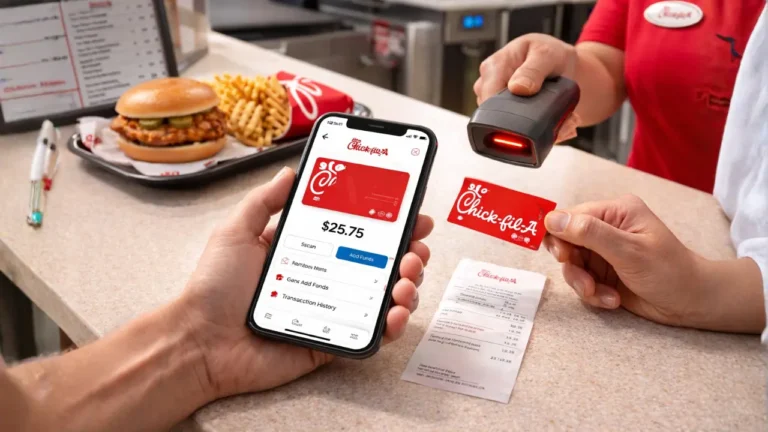
Not knowing your Chick-fil-A gift card balance is the biggest problem for users. Luckily, it’s easy to fix.
1. Use the App
2. Ask in the Restaurant
3. Call Customer Support
4. Online (After Transfer)
Check your balance anytime through your account dashboard.
Try Also: Most Popular Chick-fil-A Drinks With Prices & Calories
How To Use Chick-fil-A Gift Card on App
Many people use their Chick-fil-A gift card as a plastic card and never add it to the app. That’s a mistake.
Transferring your card to the app keeps your money safe. Even if you lose the physical card, your balance remains. It also makes mobile and drive-thru orders faster and easier.
Steps to Transfer
Once done, your card balance shows up instantly in the app.
Where Can You Use a Chick-fil-A Gift Card?
A Chick fil A gift card can be used at most Chick-fil-A locations. But there are a few exceptions. You can use it:
Possible Restrictions
Some locations may not accept certain digital formats, including Airport restaurants, College campuses, stadiums, or licensed stores.
Can You Reload a Chick-fil-A Gift Card?
Yes! You don’t need a new card every time. Reloading keeps all your funds in one place and makes spending easier.
In the Restaurant
Using the App
If your card is transferred, you can reload directly inside the app. Payment options: debit, credit, or mobile wallet.
Retail Rewards & Smart Buying Strategies
Did you know that buying a Chick-fil-A gift card from certain stores can earn you extra perks? Some grocery stores, like Kroger, give fuel points or store rewards when you buy gift cards. That means you get a bonus just for buying your card.
|
Buying Source |
Best For |
Extra Benefits |
Risk Level |
|
Official Website |
Digital gifts |
Custom design |
Very low |
|
Grocery Retailer |
Rewards |
Fuel/store points |
Low |
|
In Restaurant |
Quick use |
Instant activation |
Very low |
Bulk Chick-fil-A Gift Cards
Many people think Chick fil A bulk gift cards are just for birthdays or holidays. But businesses, schools, and teams use them too.
Chick-fil-A bulk gift cards are perfect for rewarding employees, church groups, sports teams, or students. Instead of guessing what everyone wants, a gift card lets them choose their favorite meals.
Benefits of Bulk Orders:
What Happens If You Lose Your Chick-fil-A Gift Card?
Losing a Chick-fil-A gift card can be frustrating, but if you already added it to the Chick-fil-A app, your balance is still safe. You can also check your gift card balance anytime in the app.
If the card was not transferred to the app, it may be treated like cash and can be hard to recover. Keeping your purchase receipt is important because it may help you replace the lost card or recover the balance.
Common Problems & Quick Fixes
Card declined
Didn’t receive eGift email
Balance not updating
Third-party gift card issues
Most issues are simple and can be fixed quickly.
Chick fil a Gift Card Fees, Expiration & Policies
Many people worry about losing money on a Chick fil A gift card. Here’s what you need to know:
|
Policy Type |
Status |
|
Expiration |
Usually No |
|
Inactivity Fee |
Typically No |
|
Refundable |
Usually No |
|
Transfer Between Cards |
Limited (App transfer allowed) |
Smart Tips Before You Buy a Chick-fil-A Gift Card
Many people buy a Chick-fil-A gift card but miss small steps that can make using it much easier. Follow these tips to save time, money, and frustration:
FAQs
Conclusion
A Chick-fil-A gift card is more than just prepaid money. It makes meals easier, gifts more thoughtful, and rewards more fun. By checking your balance, transferring it to the app, reloading funds, and using it wisely, you can avoid awkward moments at the counter and enjoy a smooth dining experience every time.
Whether you’re buying a card for yourself, a loved one, or in bulk for a group, understanding the rules, tips, and common problems will save you time, money, and stress. Follow this guide, and you’ll always know your balance, where to use your card, and how to protect it—making every Chick-fil-A visit simple and enjoyable.


